
Choose what works for you.
Combine compatible providers, drives, and local folders. Put the space you already have to work before moving everything into a bigger plan.
Clouds, drives, and computers. One powerful suite to move, sync, and protect what is yours. with the simplicity you deserve.
Your clouds.
Your possibilities, too.
 Google Drive
 OneDrive
 Dropbox
 BoxpCloud
 iCloud Drive
 Nextcloud
 Amazon S3
 Cloudflare R2
 Backblaze B2
Your work might be in Drive. Your photos in iCloud. Your archive on a drive. None of that needs to tie you to one company. Voidger connects those places so you can decide where your assets live, how they are protected, and where they go next.
Combine compatible providers, drives, and local folders. Put the space you already have to work before moving everything into a bigger plan.
Copy libraries between accounts, keep a copy on a drive, and reorganize your digital archive as your needs change.
Encrypt a file on your computer with AGE's hybrid post-quantum mode. Send the result to one destination, or combine encryption and splitting across clouds in Fusion.
From everyday transfers to protecting your next big project. Everything connects. Everything has its place.
Bring together references to local and cloud files, add notes and tags, and organize by project. Your files stay where they are; the context stays with you.
Voidger search queries the local catalog. It does not scan the contents of all your files.
An interface that makes sense of the complexity, so you can focus on what matters: your files and your work.
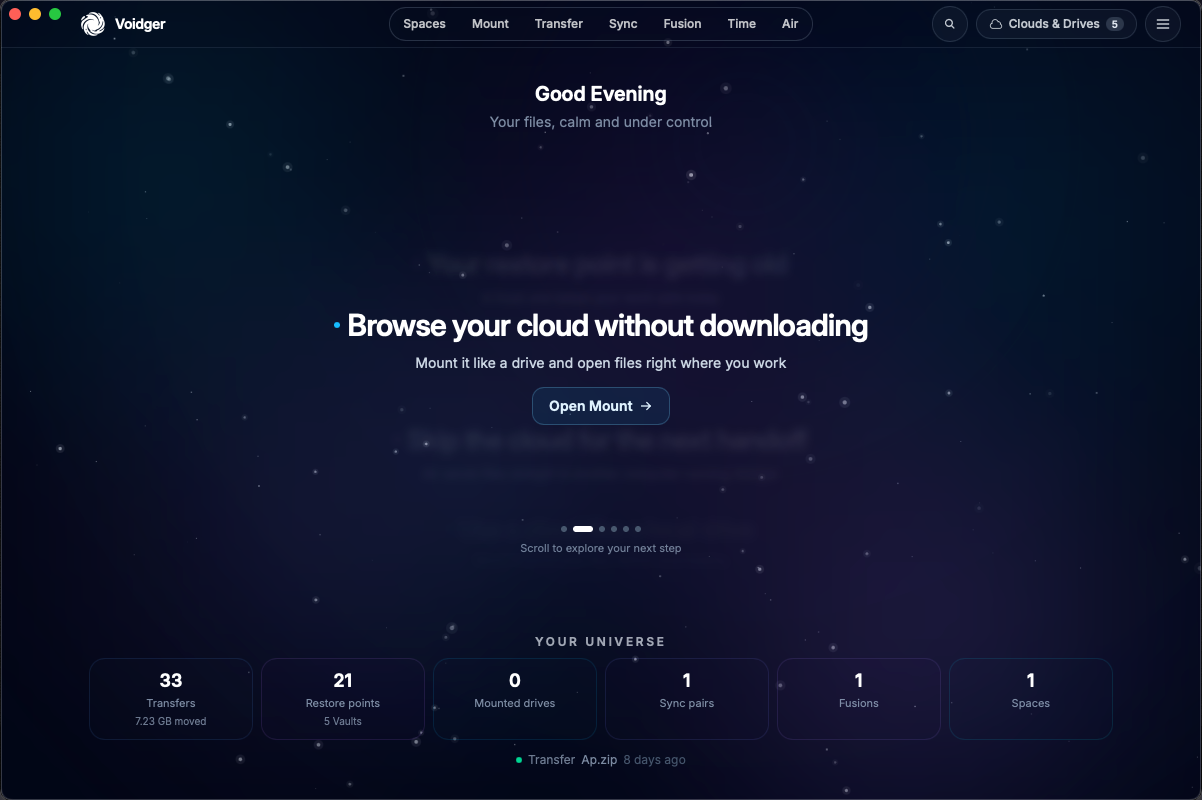
Voidger brings specialized open-source technologies together and handles the connections. You do not have to live in a terminal to use their power.

Created by Nick Craig-Wood and developed for more than a decade with contributions from a global community. Rclone is the connectivity, copy, and sync engine that Voidger brings into a visual interface.
Explore Rclone Kopia
KopiaKopia combines encryption, compression, and deduplication to preserve versions without repeating all the content in every backup. In Voidger, this technology gives Time its Vaults and restore points.
Explore Kopia
Encrypts files on your computer with AGE's hybrid post-quantum mode before they are sent. Designed by Ben Cartwright-Cox and Filippo Valsorda. The private identity stays in the operating system's secure store.
Explore the AGE formatVoidger runs on your computer and does not host your files. You keep your cloud accounts. Private AGE keys and Vault passphrases stay in your operating system’s secure credential store.
Some people copy encrypted files today and store them for later. A quantum computer can break the public-key encryption that protects those packages. Whoever already holds the encrypted file does not need to open it now.
A file encrypted with today's public-key protection stays valuable to anyone who can break it later. Waiting for that machine to exist is too late for a file that has already left the computer.
AGE in Voidger combines ML-KEM-768, a post-quantum algorithm, and X25519. Opening the file key requires breaking both.
Voidger encrypts the file before sending it. The cloud receives ciphertext. The private key stays in the operating system's secure store.
The file stays in the .age format. The contents are encrypted on the computer. Hybrid mode protects that file's key with ML-KEM-768 and X25519 at the same time. ML-KEM was standardized to resist quantum computers. The two pieces complete each other: if one fails, the other remains. Your identity backup uses a passphrase. If you encrypt for more than one public key, any matching private key opens the file. The file name stays visible.
See AGE post-quantum keysMeet Nucleus: the Voidger MCP integration in development to bring AI assistants closer to your file workflows.
A new way to connect with the power of the suite. Not yet available; features and compatible clients will be announced at launch.
Download Voidger and discover what your files can do when everything is connected.
Apple Silicon · M1, M2, M3 and later
0.6.2-beta.11 · BetaDownload for MacIntel and AMD processors · 64-bit
0.6.2-beta.12 · BetaDownload for WindowsIntel and AMD processors · 64-bit
0.6.2-beta.6 · BetaDownload AppImageFree to get started. Paid advanced capabilities, with pricing and terms to be announced.
Voidger is in beta. Available versions may differ between operating systems.
Voidger encrypts the file on your computer with AGE's hybrid mode, ML-KEM-768 and X25519 together. This applies in Transfer and in Fusion Secure Shard. The cloud receives ciphertext. The private key stays with you.
Voidger follows a free model with paid advanced capabilities. Pricing and the final feature split have yet to be announced. You can already download the beta for free.
No. Connect your own accounts and use your existing drives and folders. Voidger helps you work across those places; it does not sell storage space.
This initial catalog includes Apple Silicon Macs, Windows x64, and Linux x64. On Linux, choose AppImage or the .deb package. Mount requirements vary by system; this catalog does not include an Intel Mac installer.
Voidger manages its engines and can download them when needed through Ghost Install. This step requires an internet connection.
Not yet. Nucleus is in development. Integration details will be available here when it launches.